
Build Your Adult VR Website with
BunnyCMS
Quick and easy setup with full VR video support. Maximize engagement, monetize easily, and deliver a seamless experience for your audience.
Our CMS now supports VR video! Quickly launch a modern adult website with powerful VR features. Monetize easily, engage your audience and deliver exceptional performance on any device.
NO MORE WORDS: JUST TRY OUR SYSTEM IN ACTION
This is a VR video. Use a VR headset for the best experience

Key Features of Our VR-Enabled CMS
No Downloads Required
Your users can instantly access your VR website without installing additional software. Our CMS ensures seamless browser-based performance.
Support for All Devices
Websites built with our CMS ensure that VR videos open seamlessly on any device: smartphones, tablets, desktops, and VR headsets. Your audience gets a smooth experience, no matter what they use.
Regular Updates and Support
Enjoy continuous updates to keep your website secure and up-to-date. Our team is always ready to provide reliable support.
Unlock the Potential of VR Adult Content with BunnyCMS
Enter the World of VR Adult Content
Step into a growing niche that’s redefining user experiences. Show your members the magic of immersive VR content, keeping them engaged like never before.
Monetize Effortlessly and Securely
Earn easily and securely with subscription-based revenue streams, powered by trusted payment providers. Get started quickly with pre-integrated solutions.
Customization at Its Best
From custom website designs to a white-label VR player, BunnyCMS gives you the flexibility to create a platform that truly reflects your brand.
Dedicated Support You Can Rely On
We’re here to help 24/7. From answering your questions to guiding you through technical challenges, our team is always by your side.
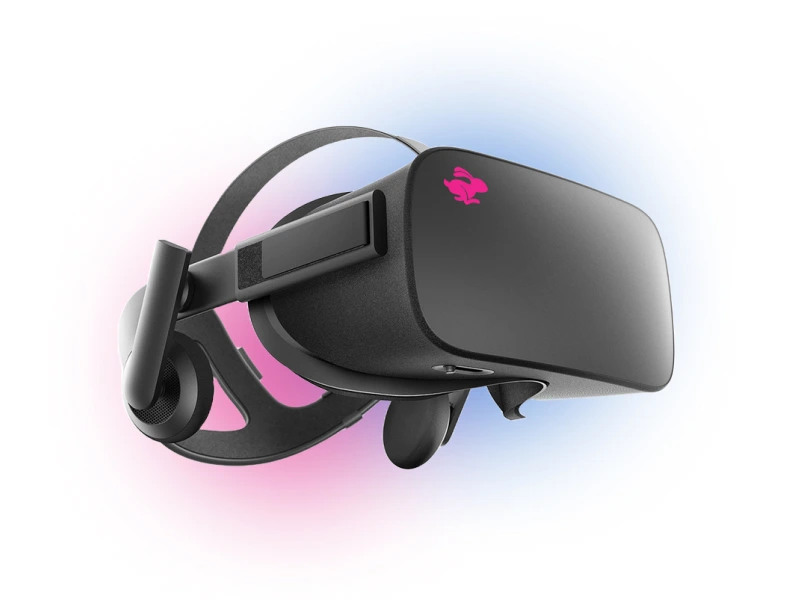
How it works: Steps to launching your own VR website
Consultation
You share your idea and goals. Together, we define the key objectives and decide on the best approach to bring your vision to life.
Design and Development
You provide your vision for the design. We create a modern, functional, and user-friendly interface that meets your needs and aligns with your goals. Once the design is approved, we move on to seamless and high-quality development.
Launch and Support
We take care of the entire launch process, so you don’t have to worry about any technical details. Everything will be done quickly, professionally, and without unnecessary hassle. After the launch, we provide full support, regular updates, and ensure your platform stays reliable and secure.
Features and functionalities we offer
Frequently asked questions
Didn’t find your question? Feel free to ask us!
Send a messageWhat is a VR website?
+
A VR website is a site where users can watch immersive 180°/360° videos in a VR headset — and the same content can also be played in a regular (non-VR) mode on desktop or mobile.
Is there demand for VR content?
+
VR content continues to grow as more users adopt VR headsets. Early adoption allows websites to stand out with immersive experiences that traditional video cannot offer.
Do users need to install an app to watch VR videos?
+
No. BunnyCMS supports browser-based VR playback (WebXR), so users can watch directly on your website without extra apps.
Can visitors watch the same video without a VR headset?
+
Yes. Visitors without a headset can watch the same content in a standard player, while headset users get the immersive VR experience.
Do VR videos work on iPhone or Safari?
+
Yes. VR videos can still be watched in a regular player on devices that do not fully support WebXR. Users with compatible VR headsets get the immersive experience, while others can watch the same video normally.
Which VR devices are supported?
+
VR playback works on modern VR headsets (including Meta Quest) and also supports desktop and mobile browsers for non-VR viewing.
What VR video formats are supported?
+
BunnyCMS supports 180° and 360° VR videos, including mono and stereo formats.
Do I need to prepare special VR streaming formats?
+
No. You can upload the original VR video (for example MP4), and BunnyCMS will automatically generate the HLS streaming versions optimized for VR playback.
Do VR videos stream in multiple qualities?
+
Yes. BunnyCMS uses adaptive HLS streaming with multiple quality levels (up to 8K) for smoother playback across devices and connection speeds.
How is VR content delivered and stored?
+
Videos can be delivered via protected CDN links or S3-compatible storage. You keep full control over delivery infrastructure and access rules.
Can I run a VR membership site or sell VR videos individually?
+
Yes. You can build a VR paysite with subscriptions or a VR VOD site where users purchase individual videos.
Can I use BunnyCMS VR player on my own domain?
+
Yes. The VR player runs directly on your website, so you don’t depend on third-party platforms.
Can I integrate a different VR player instead of yours?
+
Yes. You can use our VR player or integrate another VR player if your project requires a custom playback solution.
Can I add VR playback to an existing paysite or VOD website?
+
Yes. VR playback can be added to an existing BunnyCMS project without rebuilding your entire website.
Is it hard to launch a VR website?
+
VR projects usually require extra work for device and browser compatibility. BunnyCMS simplifies this with a ready-to-use VR stack and hands-on technical support.
How do I get started?
+
Try the demo or book a free consultation — we’ll recommend the best setup for your VR content and monetization model.
Get in Touch
We typicallly reply within 24 hours. If you don`t see our email, please check your spam folder just in case.
